
By Alison Bate
June 3, 2025
Travel in China nowadays is all about the apps.
I’ve recently returned from four weeks’ traveling in China, and as anyone who’s been there recently knows, prep work is key to getting the most out of the apps in a largely cashless society.
In this parallel universe, where Google, Gmail and Messenger don’t work, here are my tips for using the apps after travelling in Xi’an, Dunhuang, Urumqi, Turpan, Kashgar and Tashkurgan in May and early June:
1. Don’t rely on Airalo in NW China
I set up an Airalo SIM card in advance in Canada, so I could use Gmail and access other social media while in China. Airalo worked fine in Xi’an using Chinacom but stopped working completely as soon as I headed west, despite repeated attempts to get it working again. It only resumed working after 19 days, when I returned to Xi’an. Nineteen days without Gmail. If you’re travelling in the NW of China, I’d advise not using Airalo.
2. Get a local SIM card
Unable to use WeChat/Weixin or Alipay, I went into a China Mobile branch in Dunhuang and set up with a local SIM card for 80 yuan (about $16 Cdn.) for phone and heaps of data. The paperwork took at least an hour, involving my passport, pictures taken from different angles, signature and lots of data entry by the store clerk. It was well worth it: I’d recommend getting a local SIM card, even if your overseas SIM card works.
3. Use WhatsApp for staying in touch
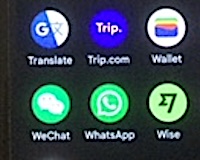
So, no Gmail for the rest of the trip but I was able to use WhatsApp to stay in touch with family and friends back home. No pictures got through, though. I’m not sure if that was due to limited internet connections or they were blocked.
4. Piggyback on others’ Wifi
I met hardly any other foreigners on my travels. However, the couple of times I did (a Canadian guy in Dunhuang and a French guy in Turpan), I was able to piggyback on their Wifi to at least download my Gmail messages.
5. Buy a Wise card beforehand
I bought a physical Wise card beforehand in Canada, delivered by mail, and transferred funds from my EQ bank account so it was preloaded for the trip. I also downloaded the Wise app onto my phone in advance so I could check my balance while travelling. I linked my Wise account to both Alipay and WeChat/Weixin. It worked well.
6. Use trip.com for booking travel and hotels
I used the trip.com app to book nearly all my flights, trains and hotel accommodation. I paid sometimes from my Wise account and other times from my Canadian Visa account. I notified Visa I was traveling before leaving Canada. Both Wise and my Visa worked well. Trains and flights filled up quickly so I didn’t leave booking until the last minute. Accommodation was easy, though. Nowhere was full, so I usually booked the night before and occasionally the morning of arrival.
7. Use WeChat’s translation tool
I didn’t learn until the third week, when a hotel owner in Kashgar showed me, that WeChat/Weixin has a translation tool. When someone sends you written Chinese, click and hold on the text and the Translate option comes up. This was really useful—I wish I’d known sooner! I had translate capability on my iPad, where I’d downloaded Mandarin and later Arabic to use offline, but it was a bit clunky.
8. Amap works well in China
Amap worked great the whole time, especially once I’d got a local SIM. It was especially useful because it showed both English and Chinese text. I have a Google Pixel phone and the Maps app didn’t work while I was in China, by the way.
9. Have small notes on hand in case all else fails
I used both WeChat and Alipay in stores and for transport. Either one or the other usually worked well, except in remote towns where I had to use cash occasionally. I always made sure I had small notes on hand. I went into a Bank of China branch a couple of times to change the 100 yuan notes the ATMs spit out.
10. Ask local people for help using the apps
Everyone was very helpful, so adjusting to the different apps was simpler than I expected.
 Alison Bate